
Welcome to Part 3 of our Advanced Malware Tactics – Process Injection blog series. In Part 1, we covered foundational Windows concepts. In Part 2, we introduced process injection as a technique used by attackers to hide code execution inside legitimate processes.
Now in Part 3, we’ll break down the three fundamental building blocks that power all process injection techniques — no matter how complex or stealthy they appear. Once you grasp these, you’ll be able to recognize and understand most injection mechanisms in malware analysis and red team operations.
The Core of All Process Injection
Every type of process injection follows the same fundamental sequence:

- Allocation – Reserve memory in the target process
- Writing – Insert malicious code into the allocated memory
- Execution – Run the code within the context of the target process
This sequence doesn’t change, even if the APIs or methods used do.
Why Memory Injection Works in Windows
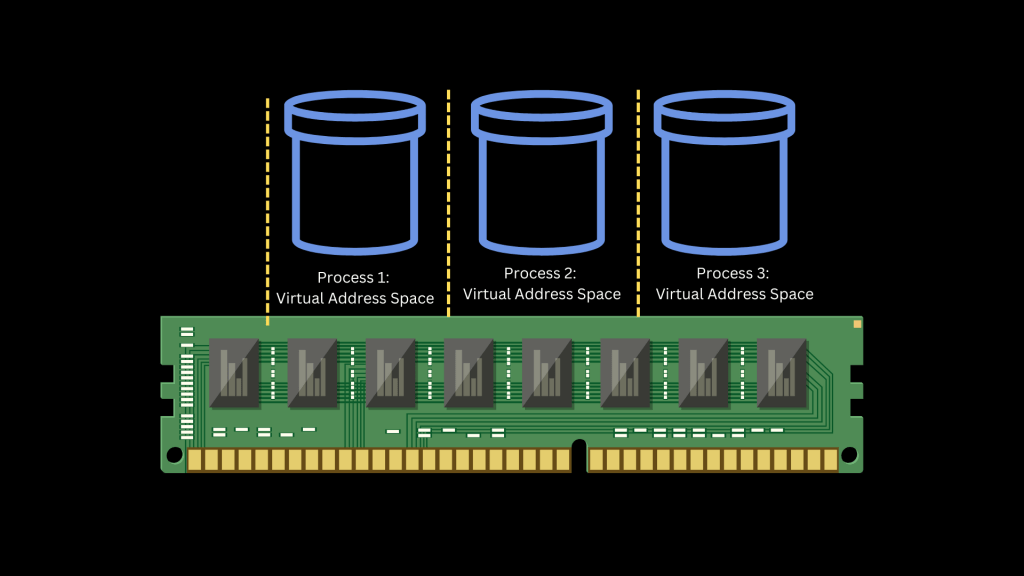
Normally, each Windows process operates in its own virtual address space. This isolation prevents interference and provides a secure memory boundary. However, Windows (and other OSes) allow interprocess communication (IPC) by design for legitimate use cases like:

- Debugging tools
- Automation and testing
- Software updates and patching
Attackers abuse this flexibility. By reverse engineering the operating system, they identify how to exploit these permissions and inject code into another process — all without triggering alarms.

Step 1 – Allocation (Using VirtualAllocEx)
Before an attacker can write code into another process’s memory, they must first allocate space in the target’s virtual address space. This is done using the API:
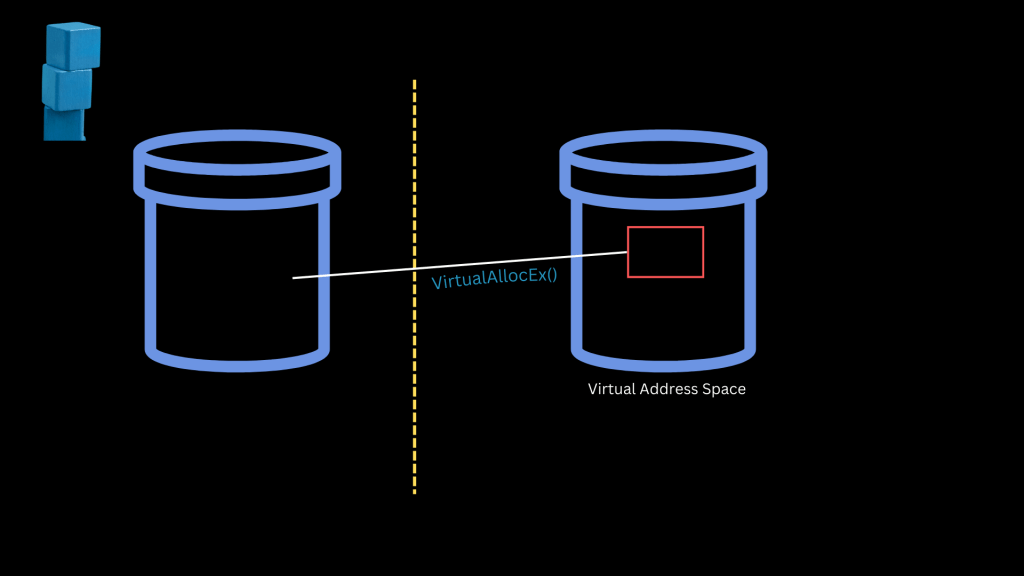
VirtualAllocEx()
This function reserves memory in the context of a target process from user mode. It’s frequently used in legitimate apps — making it a perfect stealth candidate.
Step 2 – Writing (Using WriteProcessMemory)
Once memory has been allocated, the attacker copies their malicious payload into that space using:
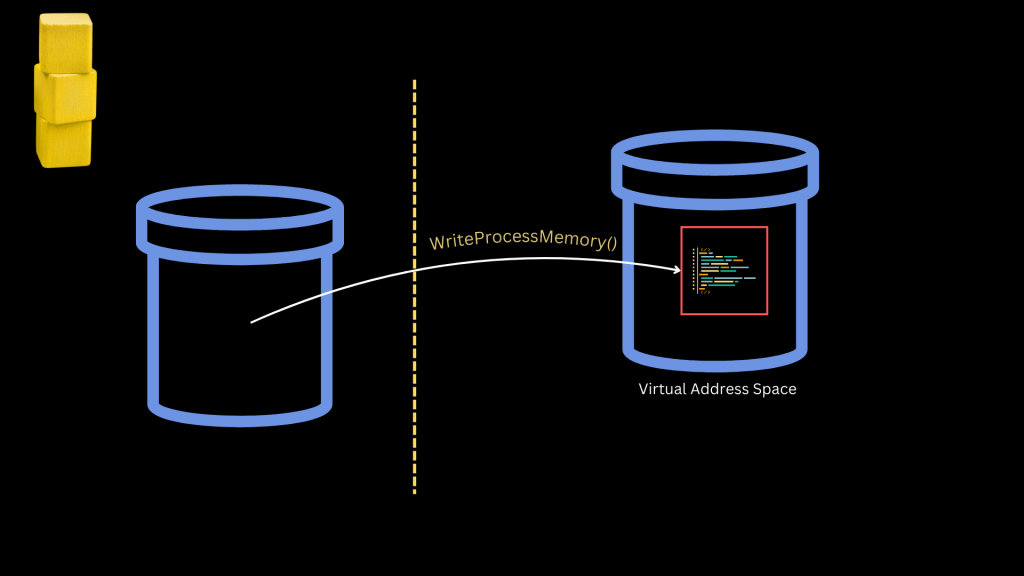
WriteProcessMemory()
This function allows one process to write data directly into another process’s memory. Again, it’s a legitimate API — often used in automation and debugging — which makes it harder to flag automatically.
Step 3 – Execution (Using CreateRemoteThread, SetWindowsHookEx, etc.)
This is where things get more diverse. The attacker now needs to run the payload within the target process. There are several APIs for this step, such as:

- CreateRemoteThread() – Launches a new thread in the target process pointing to the injected code
- SetWindowsHookEx() – Hooks into window message processing
- QueueUserAPC() – Injects into thread execution flows
The most commonly used and straightforward method is:
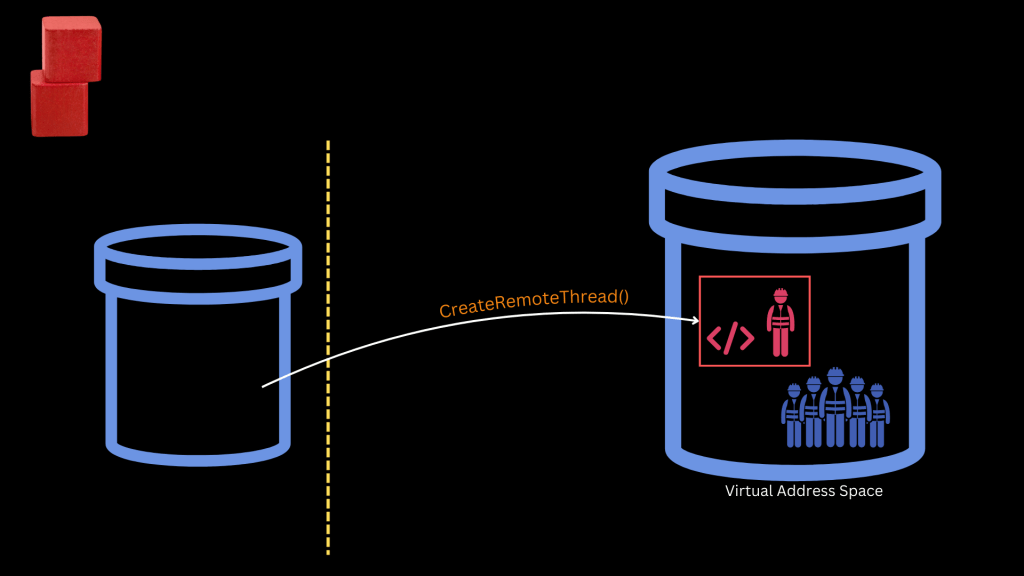
CreateRemoteThread()
This API creates a new thread (or “worker”) within the target process, tasked with executing the attacker’s code.
Real-World Example: Why Attackers Use This
Let’s say an attacker targets explorer.exe — a trusted Windows process. By injecting code and executing it from explorer.exe’s context, all the attacker’s activity appears to originate from a legitimate, signed Microsoft binary.
This evades behavioral detection, antivirus scanners, and many EDR solutions — making process injection a powerful post-exploitation tactic.
Because this technique is direct, easy and extensively used over the years, many EDR tools have become capable of detecting and stopping them.

More advanced malware uses alternative APIs or even exploits kernel-level routines (as we’ll see in Part 5).
What to Expect Next
In Part 4, we’ll examine specific types of process injection, such as:
- DLL Injection
- Process Hollowing
- Shim Injection
- PE Injection
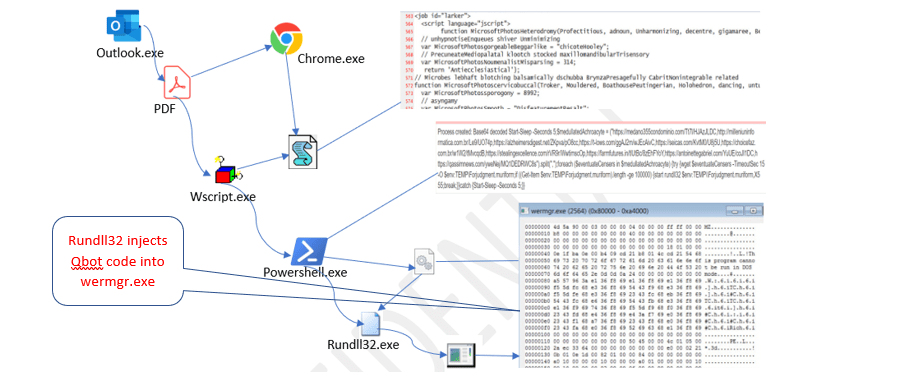
We’ll also look at a real-world Qakbot malware script that performs DLL injection using PowerShell.
Want to follow this series in video format with slides and quizzes?
You can join the free Udemy course here: Advanced Malware Tactics: Process Injection in Windows
Part 4 – Real-World Process Injection: DLL Injection & Qakbot Malware


 Simone's cybersecurity
Leave a comment