

Why Start with Windows Internals?
Before we dive into malware behaviors, it’s essential to understand how Windows works under the hood. Why? Because process injection relies on manipulating native Windows components—processes, threads, handles, memory, and system APIs. Without a firm grasp of these, the tactics won’t make much sense.
What We’ll Cover in This Post:
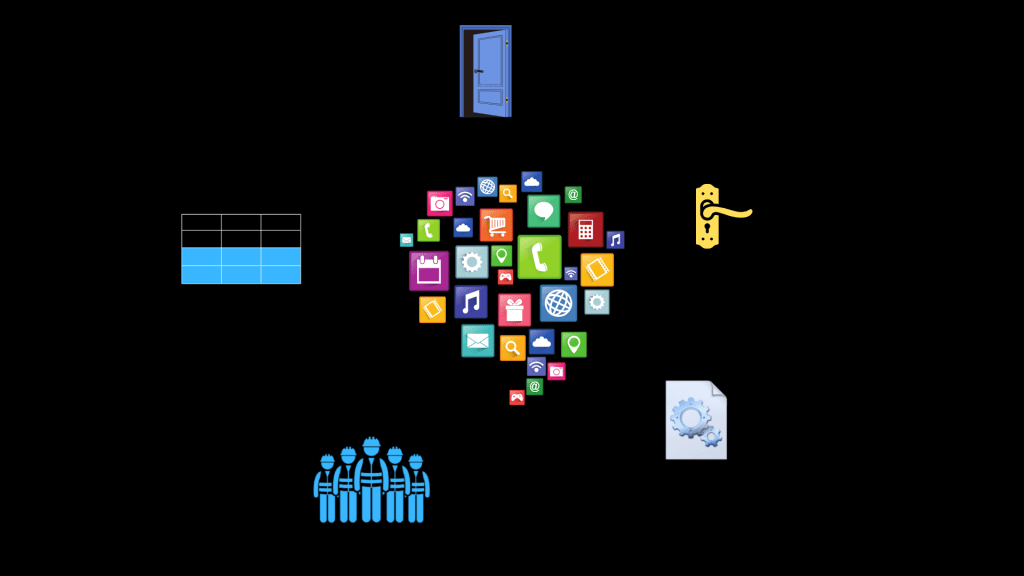
- Windows Objects and Handles
- What is a Process?
- Role of Threads and the Thread Pool
- Thread Pool Architecture (Explained Simply)
- User Mode vs. Kernel Mode
- Windows APIs and System Calls
Windows Objects & Handles: Everything Has a Handle
In Windows, everything you interact with—whether it’s an application icon, mouse pointer, or a background process—is considered an object. There are three main categories:
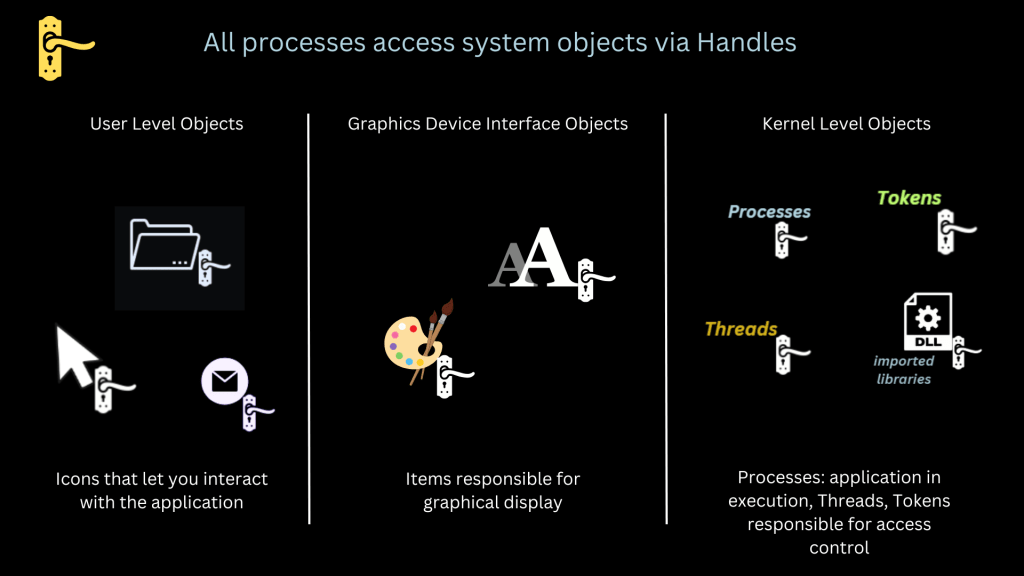
- User-level objects (icons, cursors, window controls)
- Graphics Device Interface (GDI) objects (colors, fonts, rendering elements)
- Kernel-level objects (processes, threads, tokens)
Each of these objects is accessed via a handle—a system-level reference. Think of it like a hotel keycard that lets you access specific rooms (objects). Malware often abuses this handle mechanism to hijack or duplicate access to legitimate processes.
Tools like Process Explorer from Sysinternals can help visualize what handles a process is using.
What is a Process, Really?
A process is a container that holds:
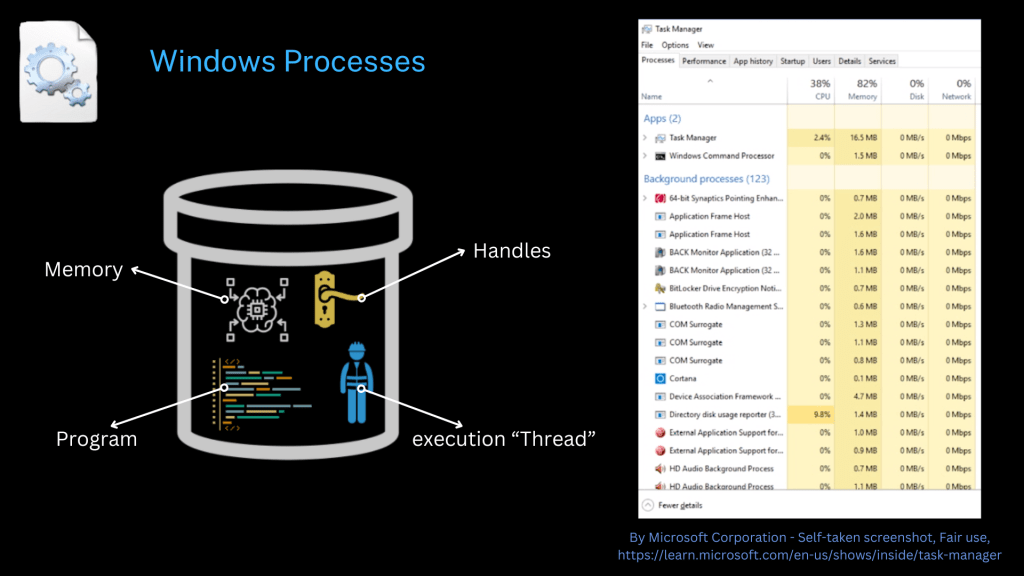
- The program code
- One or more threads (the actual workers)
- Memory space (virtual address space)
- A collection of handles to interact with system resources
You can see all active processes in Task Manager, but under the hood, each one is a dynamic structure managed by Windows with a set of system-level responsibilities.
Threads and the Thread Pool
Threads are like factory workers assigned to execute the code within a process. These workers live in a thread pool, which contains:
- Task Queue
- Timer Queue
- I/O Completion Queue
- Waiter Threads (they wait for specific signals or events)
- Worker Factory (like a thread manager)
- Start Routine (like an agenda given to the worker)
- Start Routine Value (the memory address where the agenda lives)
By default, every new process in Windows gets assigned a thread pool. This structure helps manage efficiency, and as you’ll learn in later parts, also presents unique opportunities for attackers.
User Mode vs. Kernel Mode (Simplified)
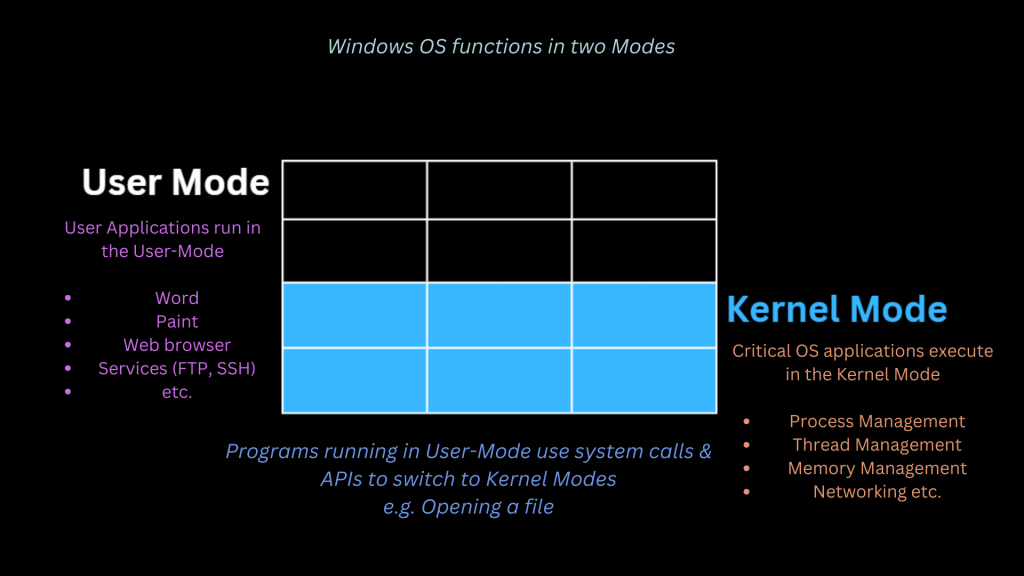
Windows operates in two distinct layers:
- User Mode: Where apps like Word, Paint, and browsers run
- Kernel Mode: Where low-level functions like memory, process, and thread management occur
Think of it like a restaurant:
- Dining room = User mode
- Kitchen = Kernel mode
- The waiter = System API that moves between the two
When you open a file, Windows switches from user mode (your click) to kernel mode (locating the file on disk), and then back again.
APIs & System Calls: The Doorways into Windows
Windows provides APIs and system calls to facilitate communication between user mode and kernel mode.
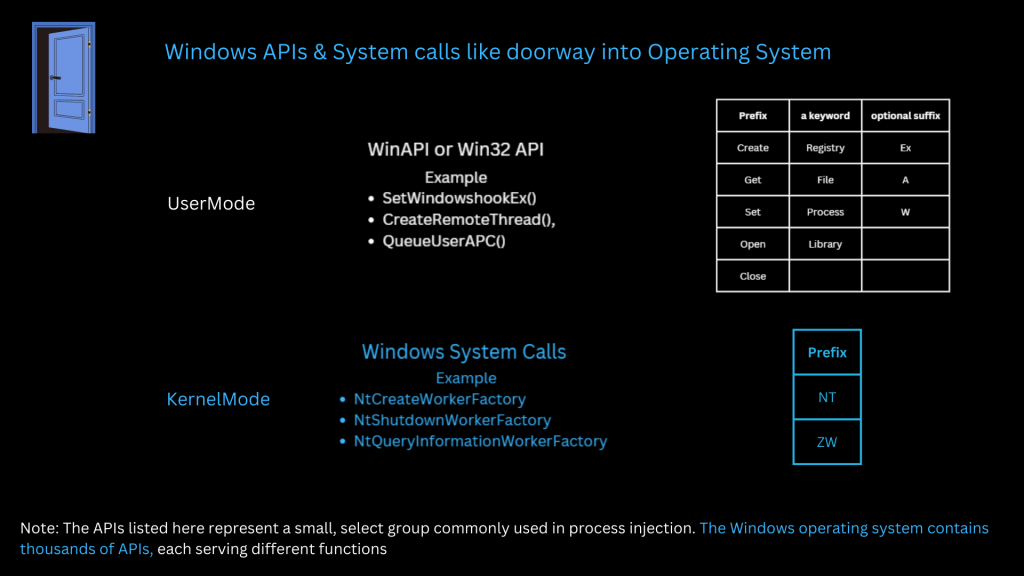
- APIs (e.g., CreateRemoteThread, VirtualAllocEx) are used frequently in process injection attacks.
- System Calls like NtOpenProcess, ZwCreateThreadEx are kernel-level operations that can be accessed through these APIs.
Understanding these “doorways” is critical because most malware leverages them to tamper with legitimate processes.
Wrapping Up Part 1
This foundational knowledge sets the stage for understanding more complex topics like process injection. If you’ve never looked into thread pools or kernel mode before, this may feel like a lot—but don’t worry. Part 2 will zoom in on what process injection really is and how attackers use these internals to execute malicious code stealthily.


 Simone's cybersecurity
Leave a comment